
Installation of rpDesigners from the raumplus usb stick
Please note:
-
Antivirus software can slow down or even detain the installation process
-
For further steps you will need administration rights. Therefore ask for the systemadministrator.
-
If you will run the rpDesigner from a personal network of you server than all computer within rpDesigner need access to its server.
-
Running rpDesigner by “Remote Desktop” protocoll is currently not supported
To start the installation, please insert the raumplus usb stick in one of the free usb ports. A window with few options will opens automatically. Check the mark „RP Designer Setup“ and confirm with „Ok“. If the installation window do not open automatically, please run „Setup.exe“ on the usb stick. Follow than the instructions of the installation window.
|
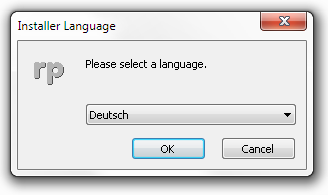
Language selection Select your language and confirm with a click on ‘Ok’. |
 |
|
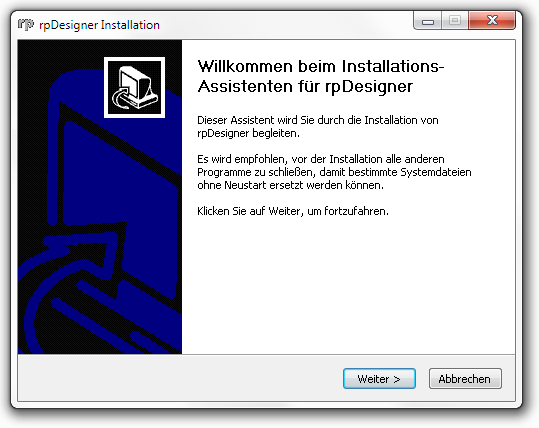
Welcome page confirm with ‘Next’ |
 |
|
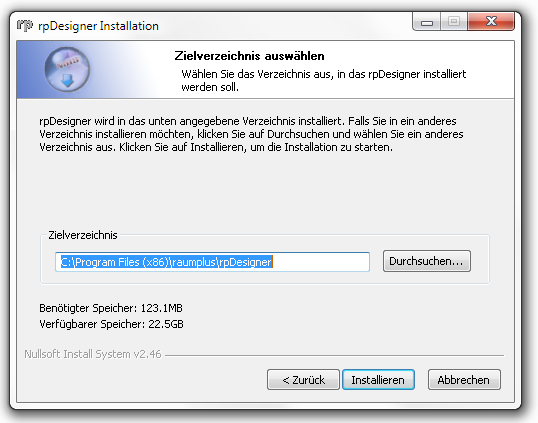
Select install directory Here you select the taget directory and confirm with ‘Next’. |
 |
|
Execute installation Before the properly installation of the rpDesigner there will be automatically and if necessary run the installation of the .NET Framework 4.0. The installation of the rpDesigner itself and additionally components will take some time. |
|
|
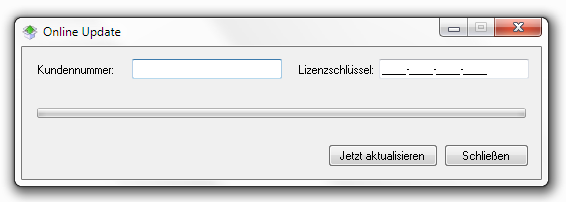
Licensing via online update Once the rpDesigner is installed, the Online-Update will run and if necessary it will update the current software. Please state therefore your licence data which you get with the correspondence letter. |
 |
Copy protection of the raumplus usb stick
The accompanying raumplus usb stick, which is also used for installation services as well for copy protection and have to be plugged permanent in the computer.
Notice:

The raumplus usb stick will be replaced charged in case of loss.
Destroyed and retoured raumplus usb sticks will be replaced for free.
Photorealistic
Information for settings of photorealistic rendering you will find in the chapter Installation for photorealistic rendering.