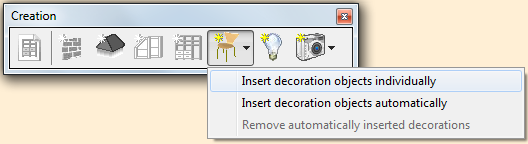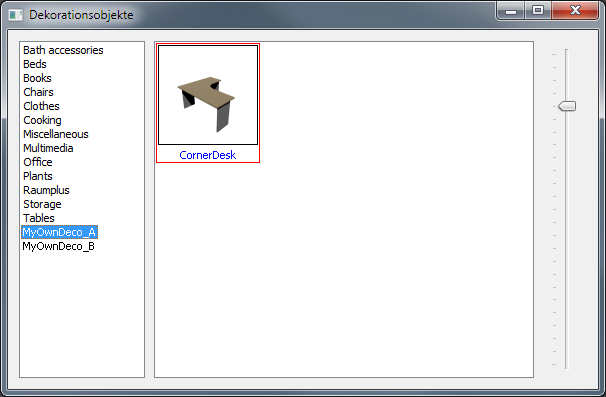
Adding individually decoration objects
The rpDesigner is delivered within a variety of many decoration objects.
The decoration objects libary can be extended by adding your own objects.
Decoration objects format
The objects file format should be the https://en.wikipedia.org/wiki/Wavefront_.obj_file.
The rpDesigner is not responsible for any issues do to objects itself, for example:
-
Scale
-
Material mapping folder
-
Texture
-
Preview graphics
Insert decoration objects
-
Create your own defined folder and add your decorations of choice in it.
-
The name of the folder is also the group name of the obejcts.
-
A texture folder which include the same called name serves as preview graphic in the decoration selection folder.
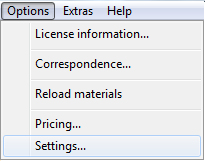
Under 1. Options → 2.Settings select the register 3.Data folder
At the register ‘Data folder’ you add your defined folder on the text field Additional decorations.
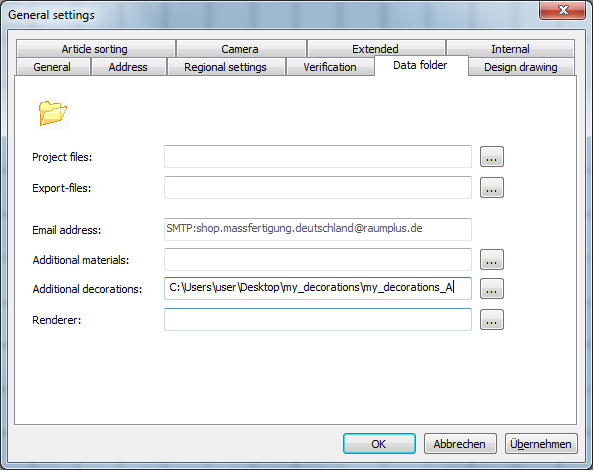
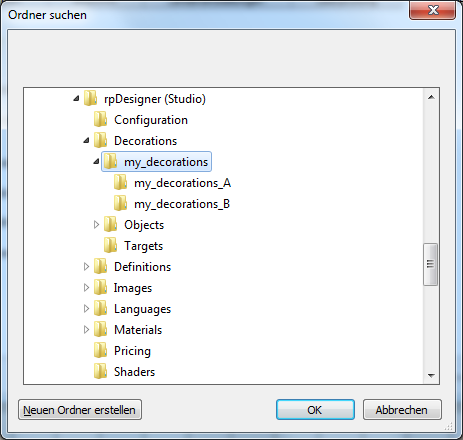
Select OK and the added decoration objects will be shown at the decoration objects dialog window and can be used for planning.
Please note that the rpDesigner might have to be restart to update the defined decorations in your decoration list!
After adding the defined decorations into the library they are ready for use and can be selected.